
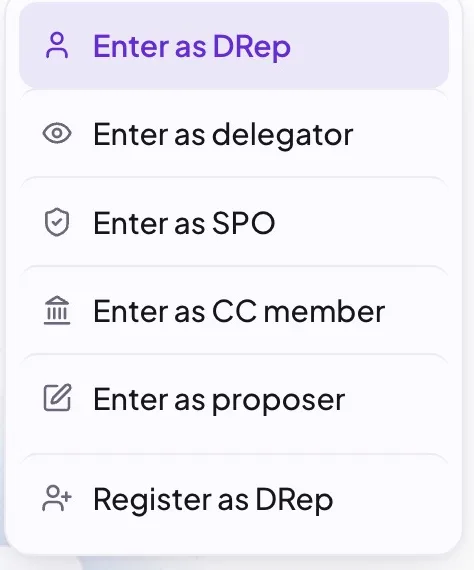
DRepTalk has no passwords and no accounts to create. You sign in with your Cardano wallet by signing a one-time challenge, which proves you control an on-chain governance identity. Signing in is non-custodial: it is a message signature, not a transaction, so there is nothing to send and no fees, and the server never sees your private keys. There are four writer roles, one for each on-chain governance identity, plus a read-only delegator sign-in for ada holders who want to follow their DRep. DReps, proposers, and delegators connect a CIP-30 wallet. SPOs and CC members sign the challenge offline with cardano-signer and paste the result, because wallets cannot sign with those keys yet. The offline signer path also offers the DRep role, so a DRep without a browser wallet can sign in that way too.
DReps
Pick the DRep role and connect a CIP-95 capable wallet (for example Lace, Eternl, or Typhon). On Brave, the browser’s built-in Cardano provider cannot sign with a DRep key, so the DRep flows skip it in favor of a CIP-95 capable wallet extension: Brave users should install one of the wallets above. You sign with your DRep key. We derive your DRep ID from that signature and confirm on-chain that it belongs to a registered, active DRep. If your wallet is not yet a registered DRep, you can register as a DRep first.
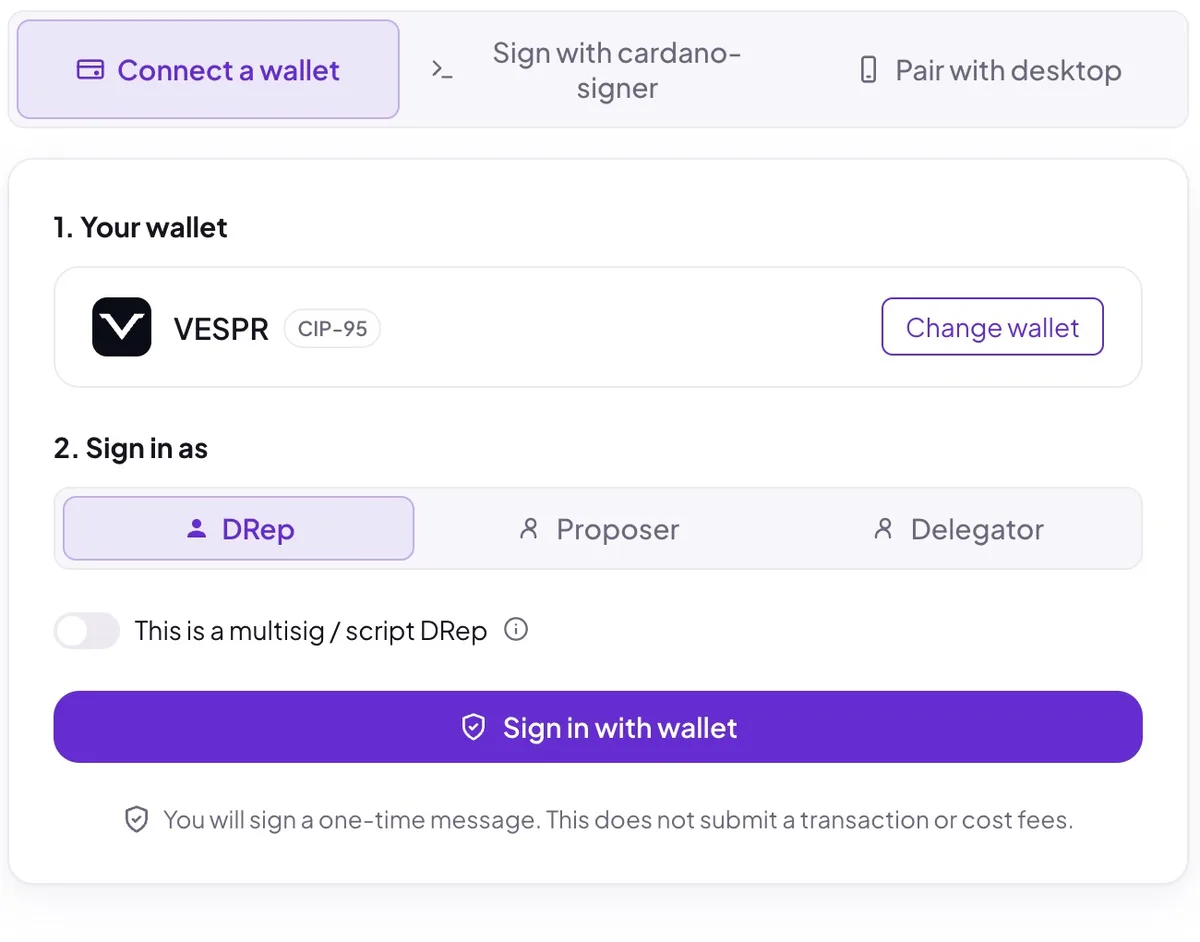
Multisig and script DReps. A DRep controlled by a native multisig script signs in with the “This is a multisig / script DRep” toggle: enter the script DRep ID and prove membership by signing with one of the script’s authorized keys. Plutus-script DReps cannot sign in, since they have no member keys to sign with.
Proposers
Pick the Proposer role. You sign with your wallet’s reward (stake) address, and we confirm on-chain that this address submitted at least one governance action. Use the same wallet that submitted the action. Co-proposers also sign in through this flow: people a proposer has authorized to write on their behalf, using their own wallet. How a proposer invites and revokes co-proposers is covered in Proposers.
Stake pool operators
Pick the SPO role. You sign with your Calidus key, a hot key you register once to your pool on-chain (CIP-151), so you never expose your pool cold key. Wallets cannot sign with a Calidus key yet, so you sign the challenge offline with cardano-signer and paste the result. We match your Calidus public key on-chain and confirm it belongs to a registered pool. Note that the Calidus key only signs you in: casting your pool’s vote on a governance action works differently and is covered in Voting as an SPO.
Constitutional Committee members
Pick the CC member role. You sign with your committee hot key using the same offline cardano-signer paste flow. We confirm on-chain that the key is a currently authorized committee hot credential. Script-based credentials are not supported yet.
Delegators
Pick the Delegator role and connect the wallet that holds your delegated ada. Any CIP-30 wallet works. No governance features are required. You sign with your wallet’s reward (stake) address, and DRepTalk reads your delegation from the chain. A delegator sign-in is read-only: you can follow your DRep’s votes on your start page and get notified, but posting and voting stay reserved for the writer roles above. Signing in also records when your delegation started and unlocks the private My DRep page, which shows what your DRep has done since then. See Tracking your delegation for what you get and Following your own DRep for that page.
On a phone or tablet
Mobile browsers have no wallet extension, so there is nothing there to sign the challenge with. Instead, sign in on a computer first, then pair the phone: the phone shows a short code, and you approve that code on the computer. See Pair a phone or tablet.
A paired device is a normal signed-in device: it can read, post and comment, and it can receive push notifications. Voting still needs a wallet signature, and a paired session has no wallet to sign with. A phone can vote when you open DRepTalk inside your wallet’s in-app browser, otherwise votes are cast from a computer.
How long you stay signed in
You stay signed in on a device for 30 days after you last used it (the clock is renewed at most once every few hours, so it counts from the last renewal rather than your very last click), and for 90 days at most, however often you visit. After that the device asks for a new signature, or a new pairing code on a phone.
Every signed-in device is listed under Settings, Devices, with the one you are on marked. You can sign out a single device from there, or end every session at once if one is lost. See Pair a phone or tablet.
What signing in does not do
It never moves your funds, never submits a transaction, and never asks for a seed phrase or private key. If your wallet ever prompts you to approve a transaction or a payment to sign in, stop: that is not how DRepTalk works.