
If you have delegated your voting power to a DRep, the natural next question is: what are they doing with it? DRepTalk can answer that continuously. Sign in as a delegator and your start page becomes a dashboard for your delegation, and DRepTalk notifies you when your DRep acts. Everything is read-only and free: no transaction, no fees, no keys shared.
If you have not delegated yet, start with How to delegate to a DRep.
Signing in as a delegator
- Open Sign in and choose the Delegator role.
- Connect the wallet that holds your delegated ada. Any wallet that can sign a message works (for example Lace, Eternl, or Typhon).
- Approve the signature request in your wallet.
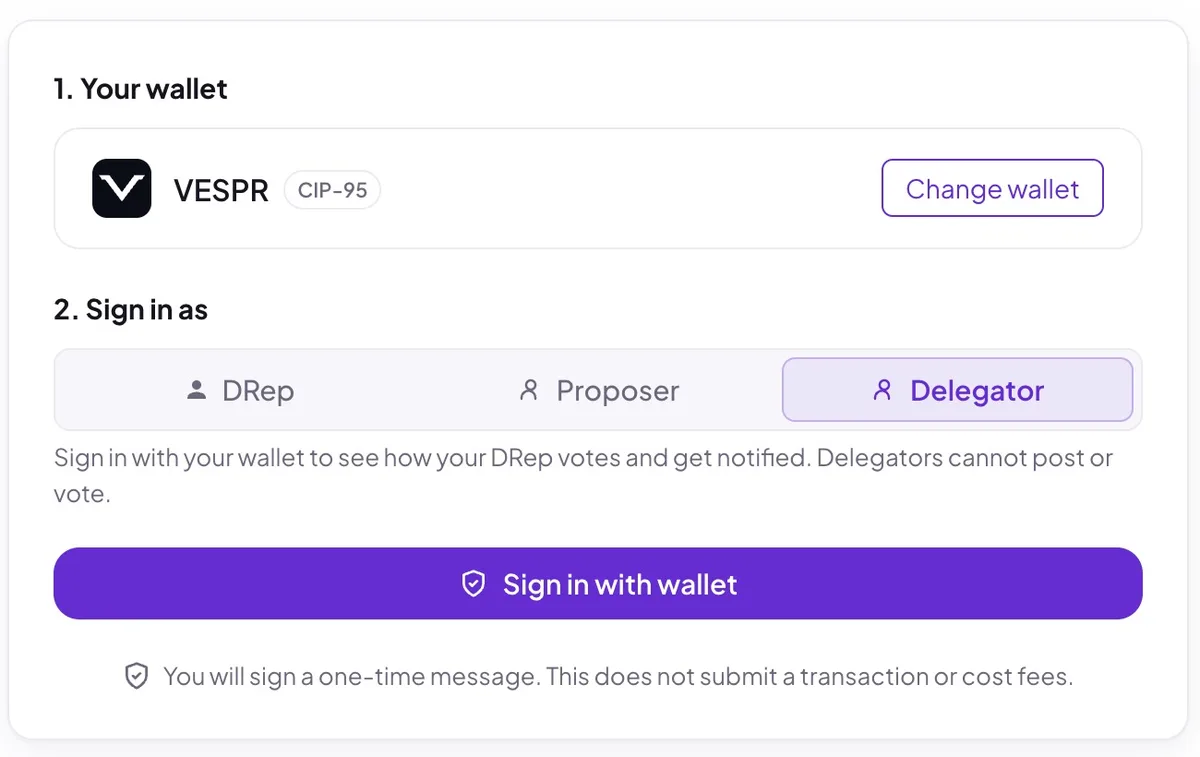
That signature only proves you control the wallet’s stake key. It is not a transaction and costs nothing. DRepTalk reads your delegation from the chain and links your sign-in to it. A delegator account is read-only: you can browse everything, but posting and voting stay reserved for on-chain governance roles.
Your delegation dashboard
After signing in, your start page shows your delegation at a glance:
- Your DRep. Name, picture, current voting power, and how many delegators they have, linked to their full profile.
- Their recent votes. The latest confirmed on-chain votes your DRep has cast, with their rationales where published.
- What they have not voted on yet. Open governance actions still waiting for your DRep’s vote, with the time remaining in each voting window. This is the quickest way to see whether your representative is on top of the current ballot.
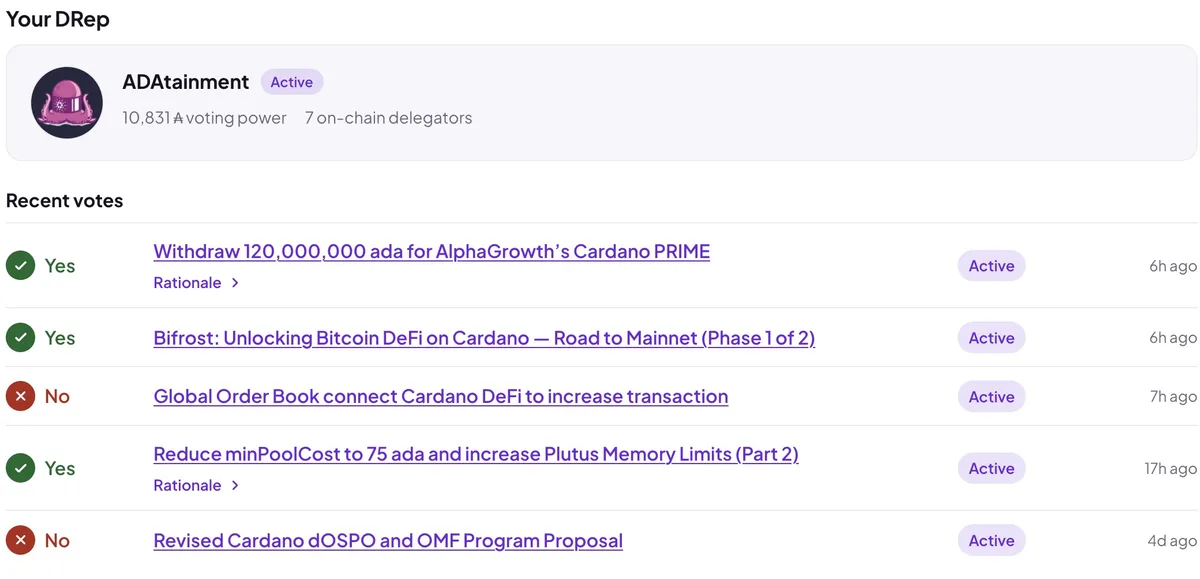
If your voting power is delegated to one of the two special options instead of a DRep, the dashboard explains what that means: Always Abstain and No Confidence are standing positions, so there are no individual votes to follow. And if you re-delegate in your wallet, the dashboard follows: the on-chain state is re-checked when you sign in and regularly in between.
Getting notified
Instead of checking the dashboard, you can let DRepTalk tell you. As a delegator you receive a notification when:
- your DRep votes or changes a vote on a governance action,
- your DRep’s registration status changes, for example if they retire,
- your delegation itself changes on-chain,
- an epoch ends in which your DRep voted, as an epoch summary.
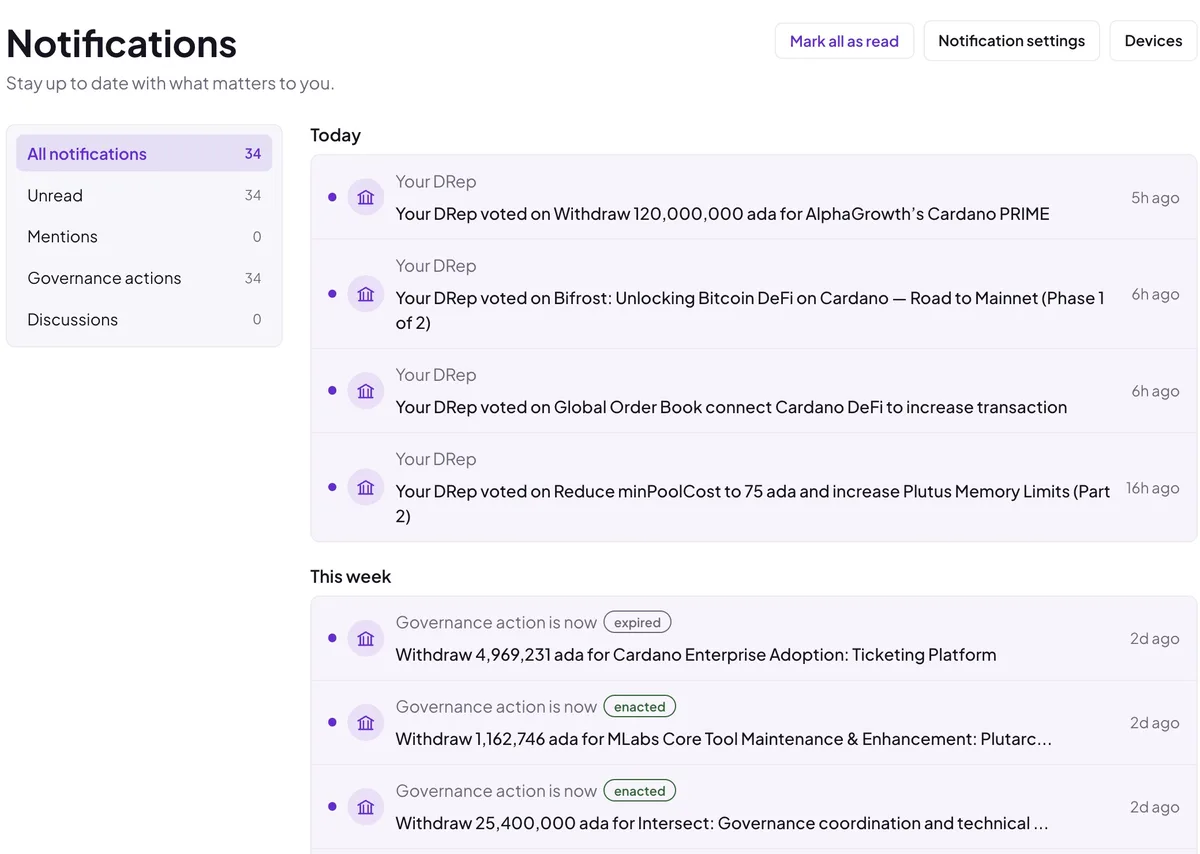
The epoch summary arrives after an epoch in which your DRep voted. It lists how many actions they voted on, with up to three action titles, and how many of those votes carry a rationale. Nothing is sent for an epoch without votes. The summary always appears in your inbox. It reaches you by push or Telegram only if you switch on Epoch summary under My delegation in your notification settings, since each single vote already arrives there as its own notification.
Notifications arrive in your on-site inbox, and optionally as browser push notifications or Telegram messages. You choose the channels and event types in your notification settings. On a phone, pair the device first. On iPhone and iPad, also add DRepTalk to your home screen to enable push.
Using what you learn
The point of tracking is a better-informed delegation. If your DRep votes consistently and explains their reasoning, you have confirmation that your voting power is in good hands. If they go quiet or you disagree with their positions, you can delegate elsewhere at any time: browse the DRep directory, open a profile, and use the Delegate button. Your wallet signs the change, and your dashboard follows it. If you want a fresh starting point, Find your DRep ranks DReps by how their past votes line up with your own answers.
For the longer view, the private My DRep page shows what your DRep has done since your delegation started: the actions, rationales, vote changes and voting power in that span, and what a default option would have meant on the decided actions. Following your own DRep explains that page.
Frequently asked questions
Does signing in as a delegator cost anything?
No. Signing in is a free message signature, not a transaction.
Can I change my delegation on DRepTalk?
Yes, with the Delegate button on any DRep profile that is not retired. Your wallet signs the certificate.
Can delegators post or vote on DRepTalk?
No. A delegator sign-in is read-only, posting and voting need an on-chain governance role.